See Zero actually working
No signup, no sales call - just a guided tour of a manager’s Monday and a staff member’s week. Real screenshots, not mockups: everything below is Willowbrook Pharmacy Group, a demo organisation running in the live app.
Follow the dotted line - the clock chips mark the hour, and the pill on each card says how long that step takes.
A manager’s Monday
From “next week is blank” to planned, published and covered - before the kettle’s boiled twice.
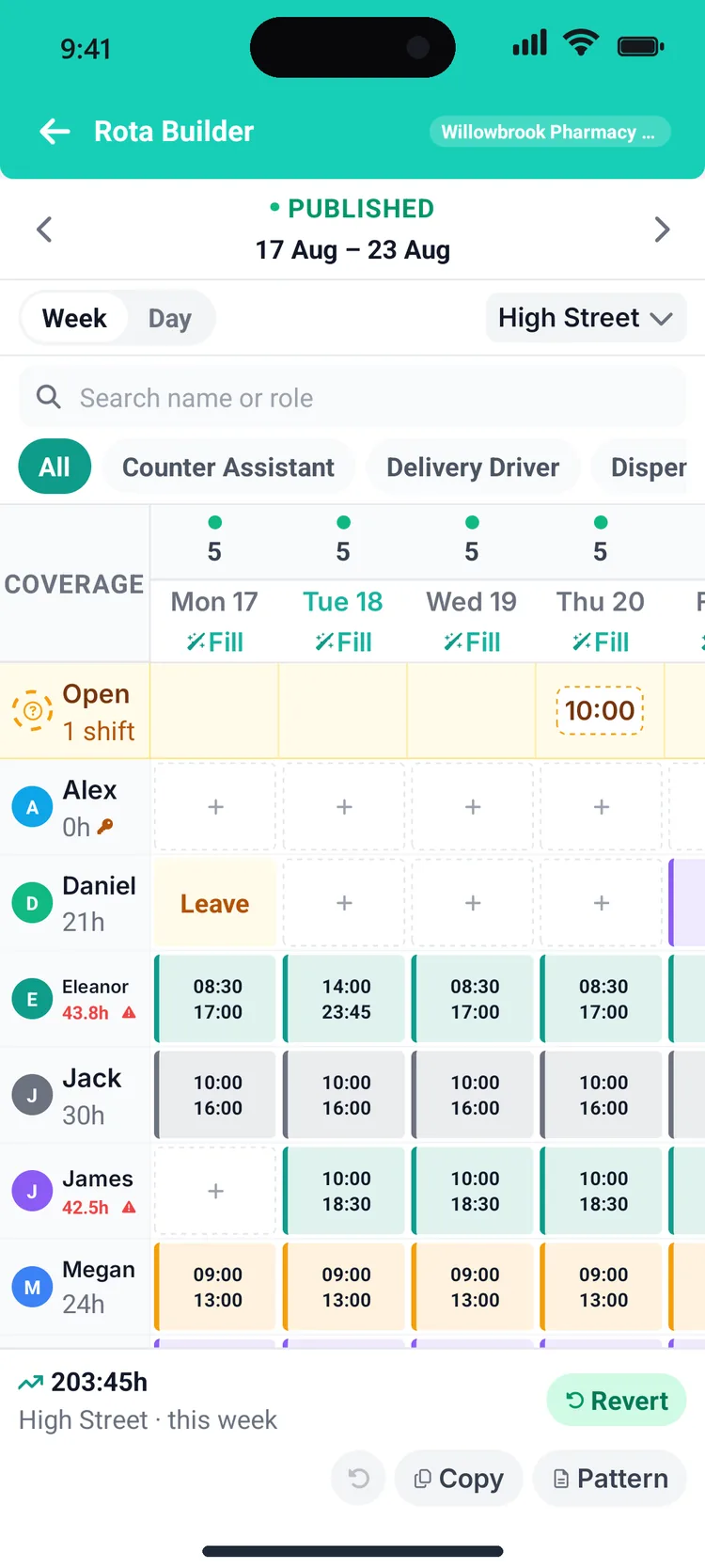
Open next week’s rota
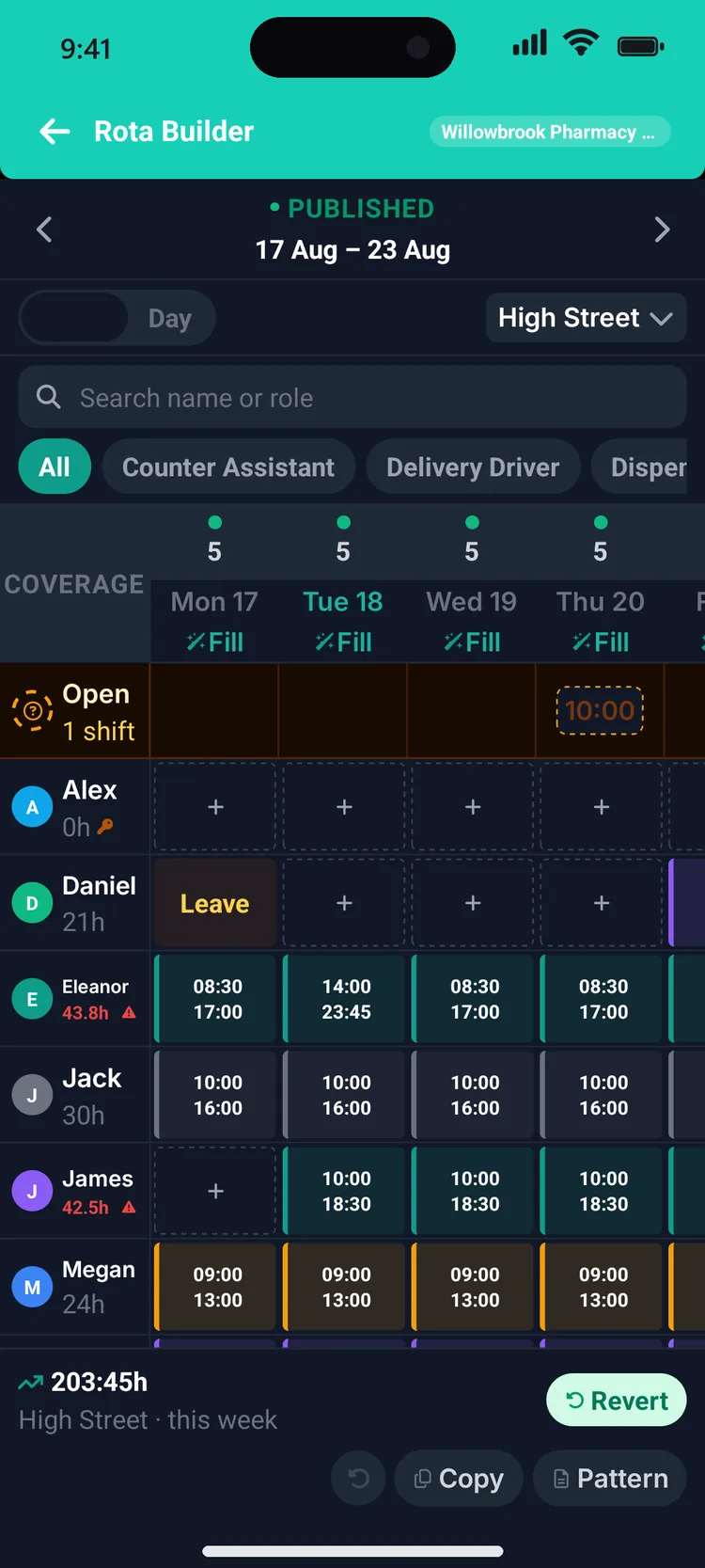
Monday starts in the Rota Builder: a drag-and-drop grid with coverage counts along the top and a live wage forecast along the bottom. Drafts stay private until you hit publish, so the team never sees a half-finished week.
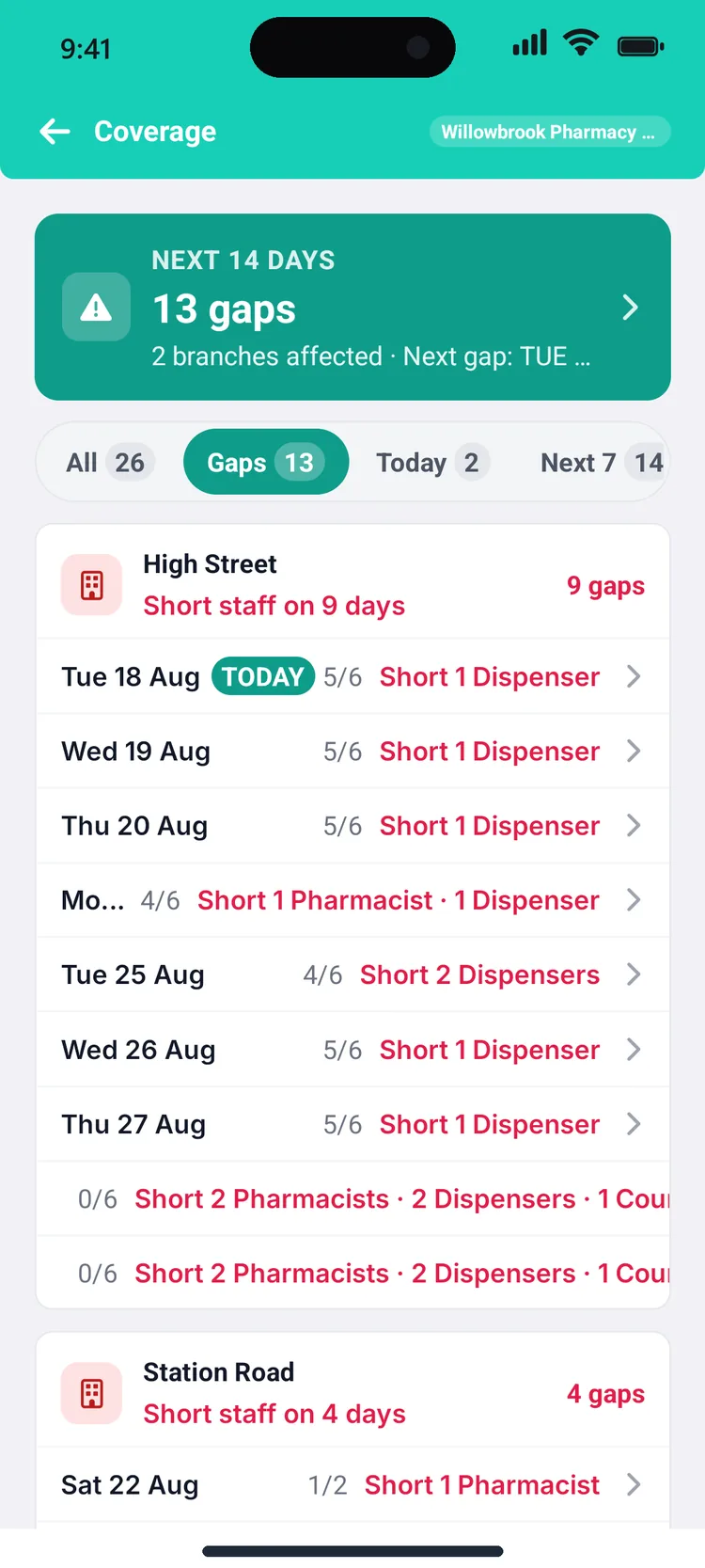
Check coverage before it bites
The coverage screen has already compared the rota against each branch’s role-by-role minimums and flagged every short-staffed day in the fortnight ahead - caught on Monday, not discovered on Saturday.
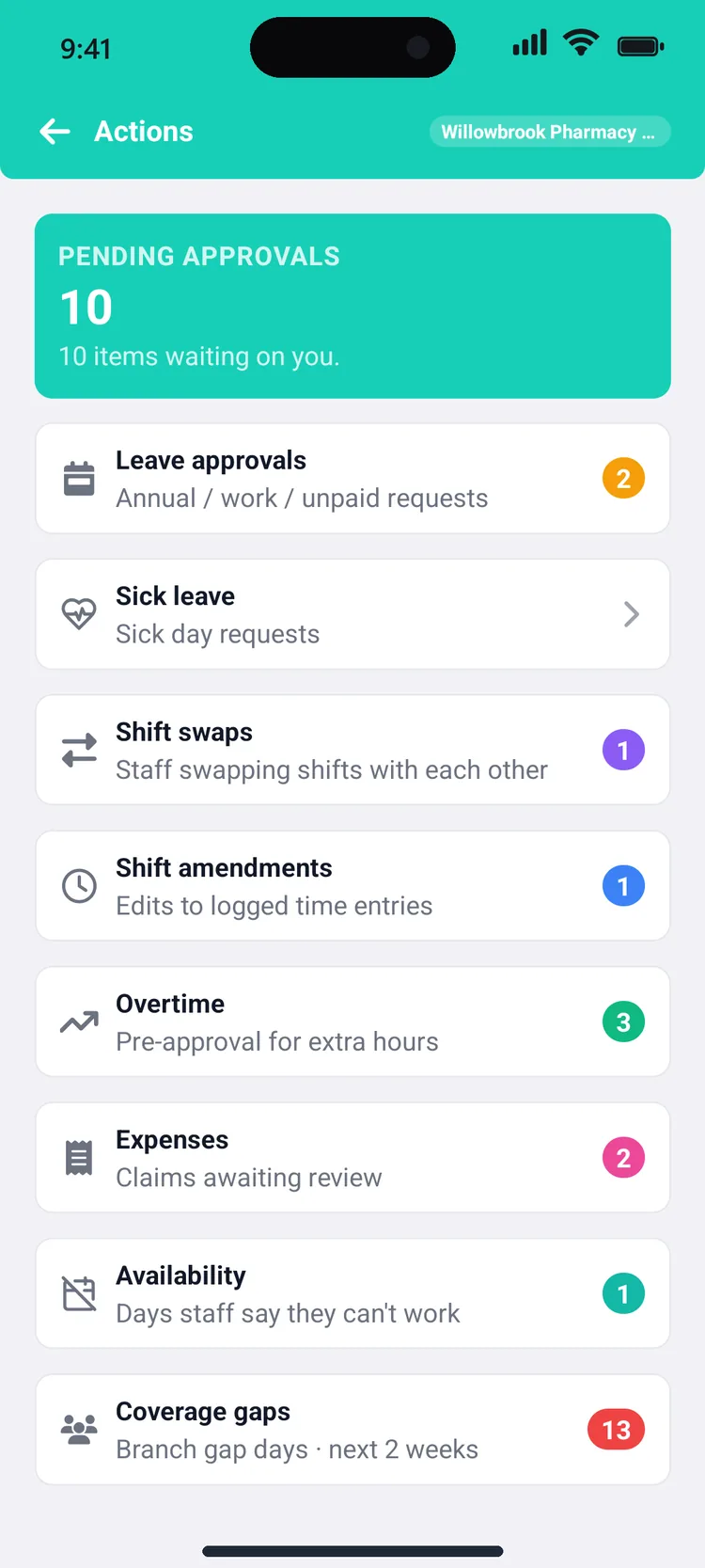
Clear the Action Centre
Every request across the business - leave, sick days, swaps, time amendments, overtime, expenses - queues in one place with live counts. Each one is approved or declined in a tap, with the context right there.
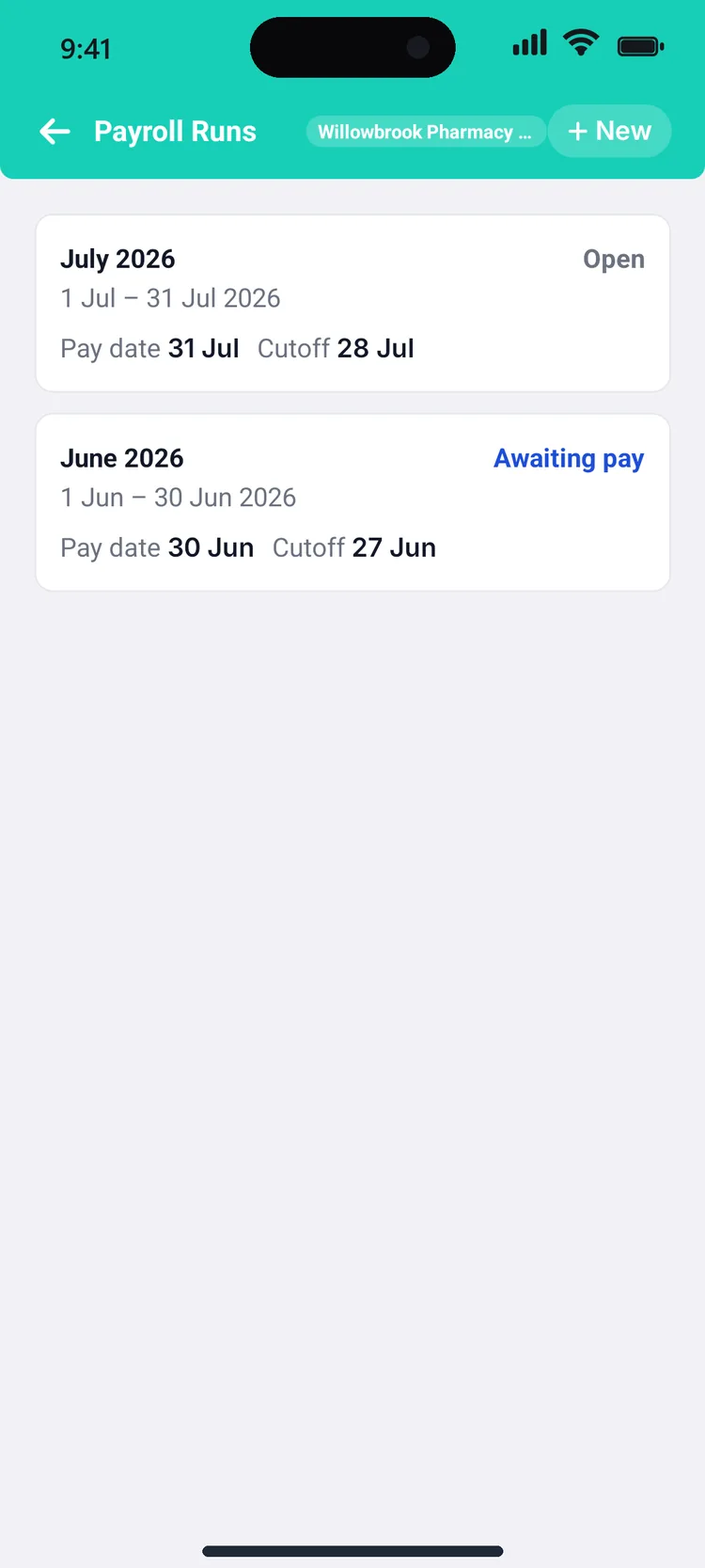
Run payroll from real hours
Approved hours flow straight into the monthly run. This is July at our demo organisation: gross pay, tax, NI and pension worked out per person - £8,028 net across ten employees - with payslips issued to every phone.
9:12 on Monday - the week is planned, published and covered.
The rest of it runs from your team’s phones.
Do this with your own rotaA staff member’s week
The other half of the story: what your team sees on their own phones, from Monday clock-in to Friday’s hours.
Monday morning: clock in
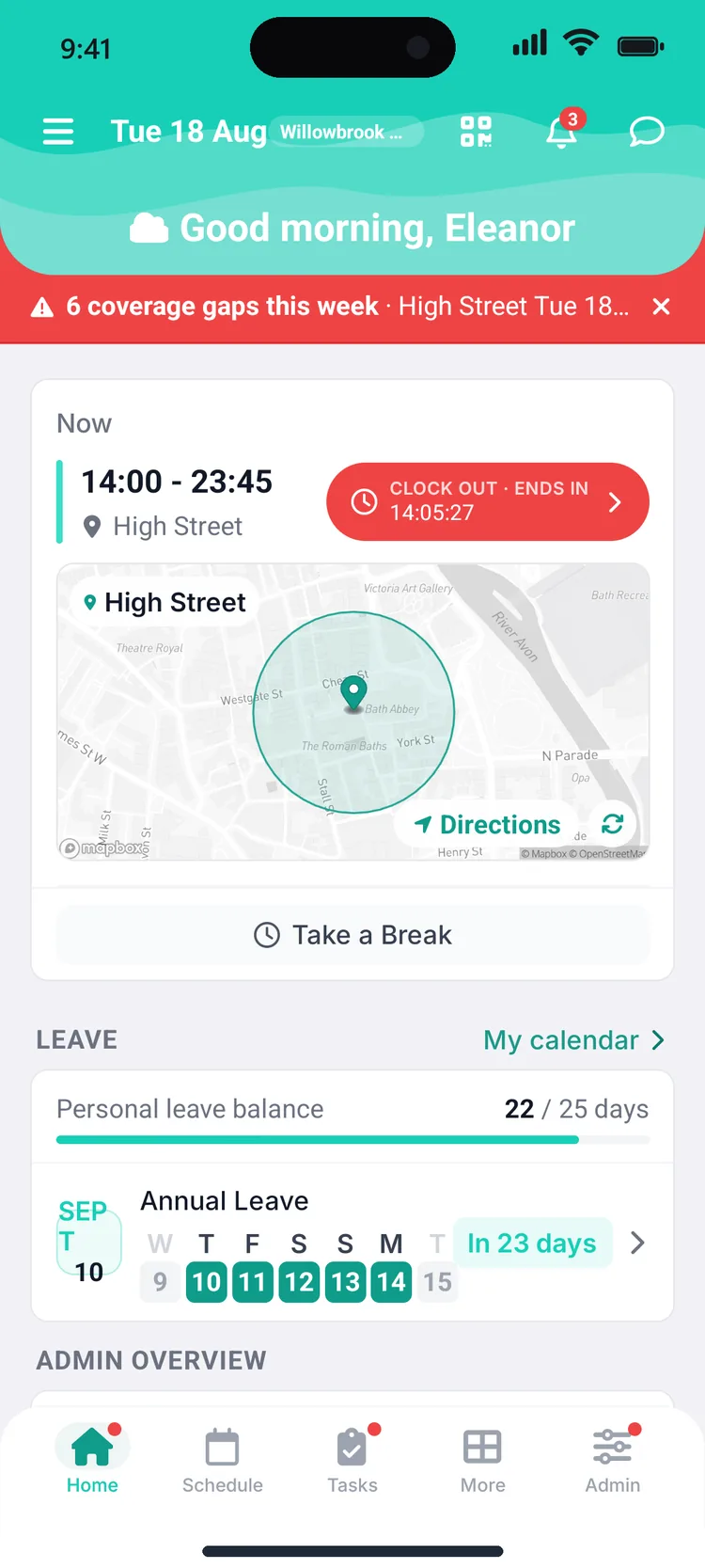
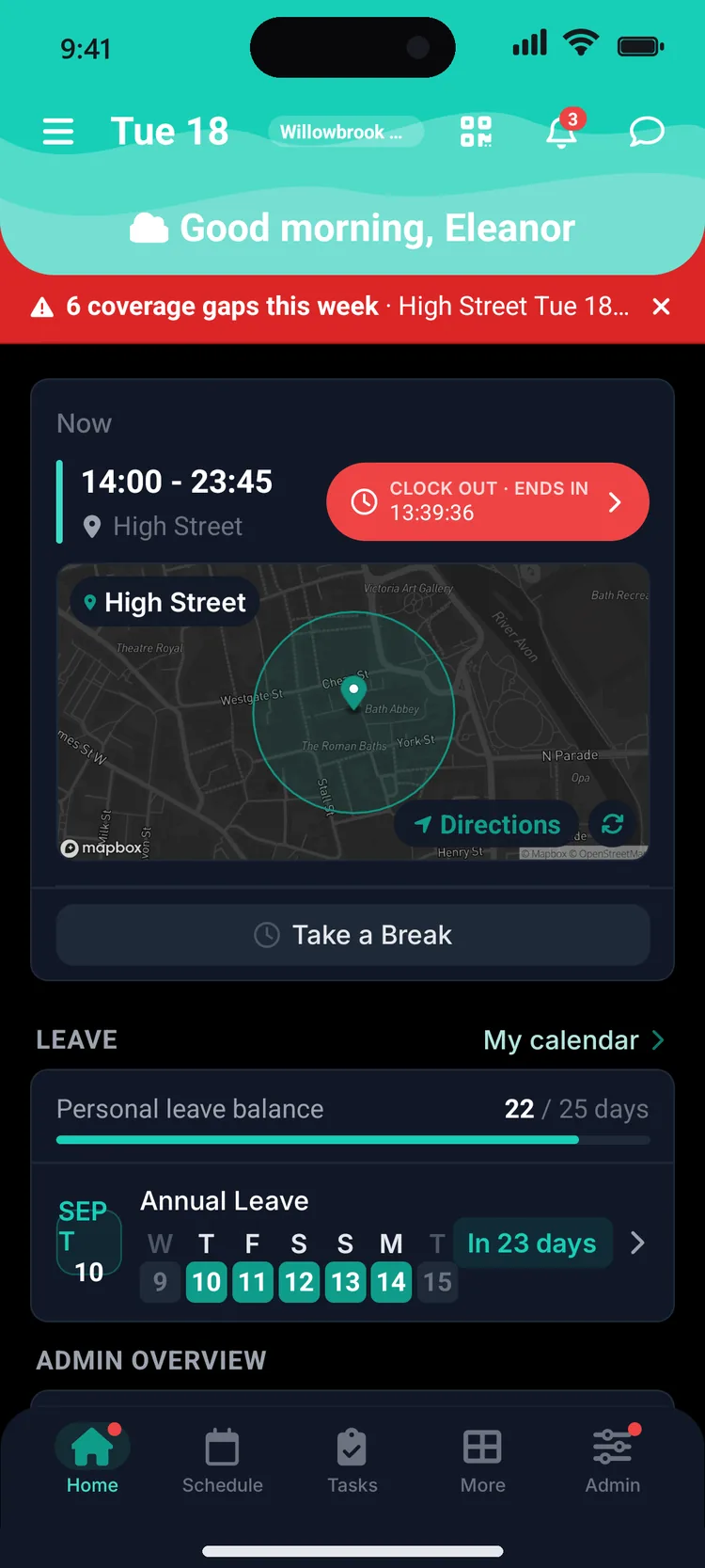
The home screen shows today’s shift with a map of the branch geofence. Arrive on site, tap clock in, and the shift timer starts - no paper timesheet, no guessing later.
See the whole week
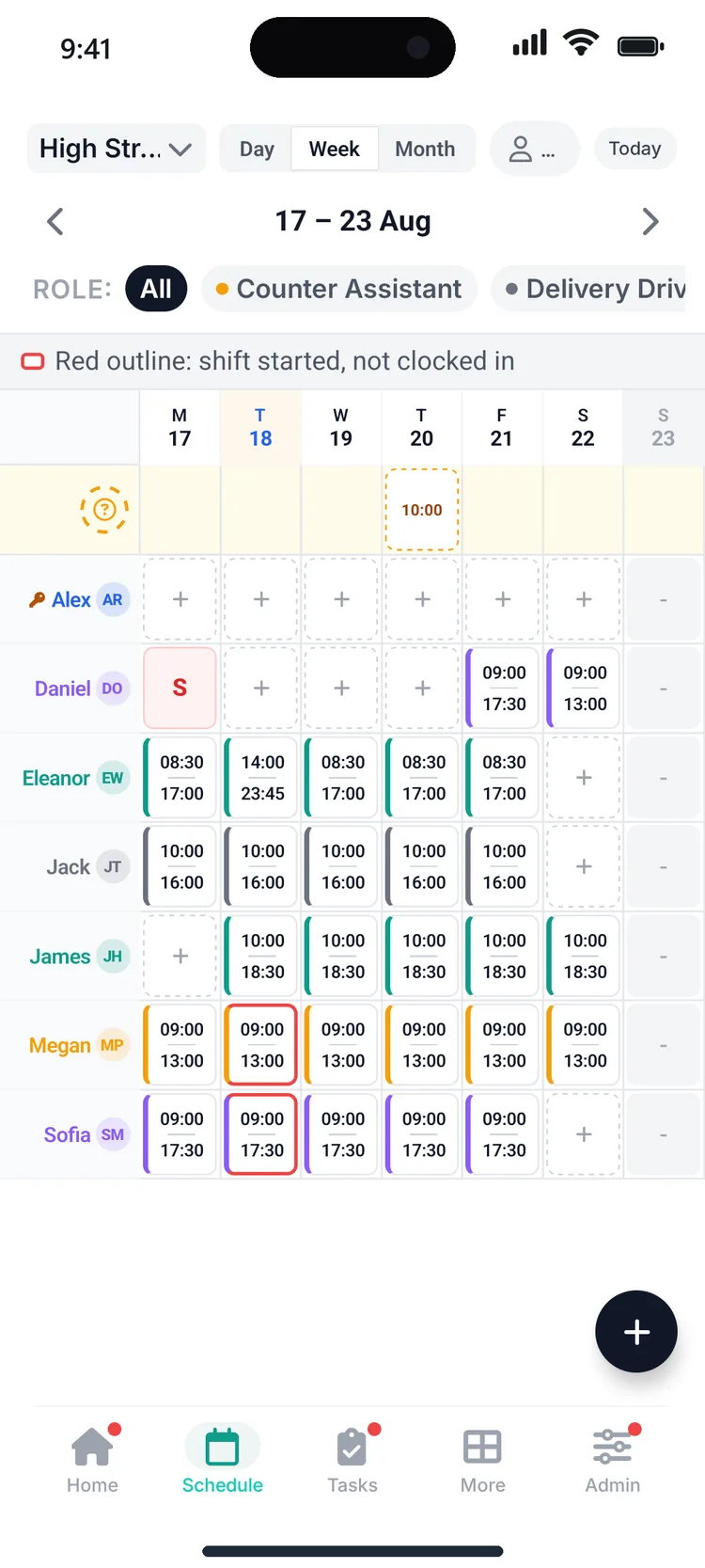
The schedule grid shows who’s in, who’s off and who’s off sick - colour-coded by person, with open shifts anyone can claim sitting at the top. No more photographing the rota on the staff-room wall.
Swap a shift that doesn’t fit
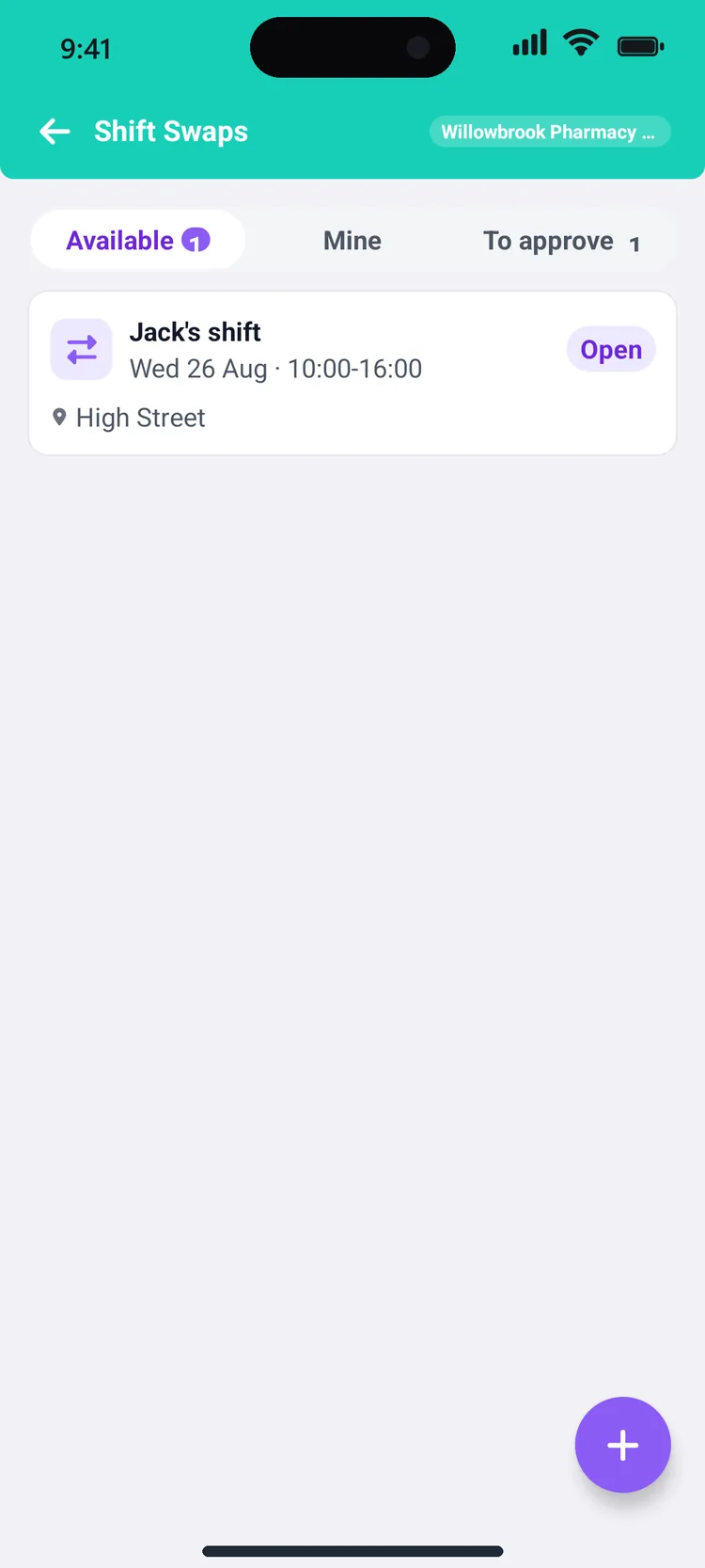
Wednesday clashes? Post the shift as a swap or pick one up - here Jack’s Wednesday 10:00–16:00 at High Street is up for grabs. Claims go to a manager for a one-tap approval, so the rota stays in control.
Book leave in three taps
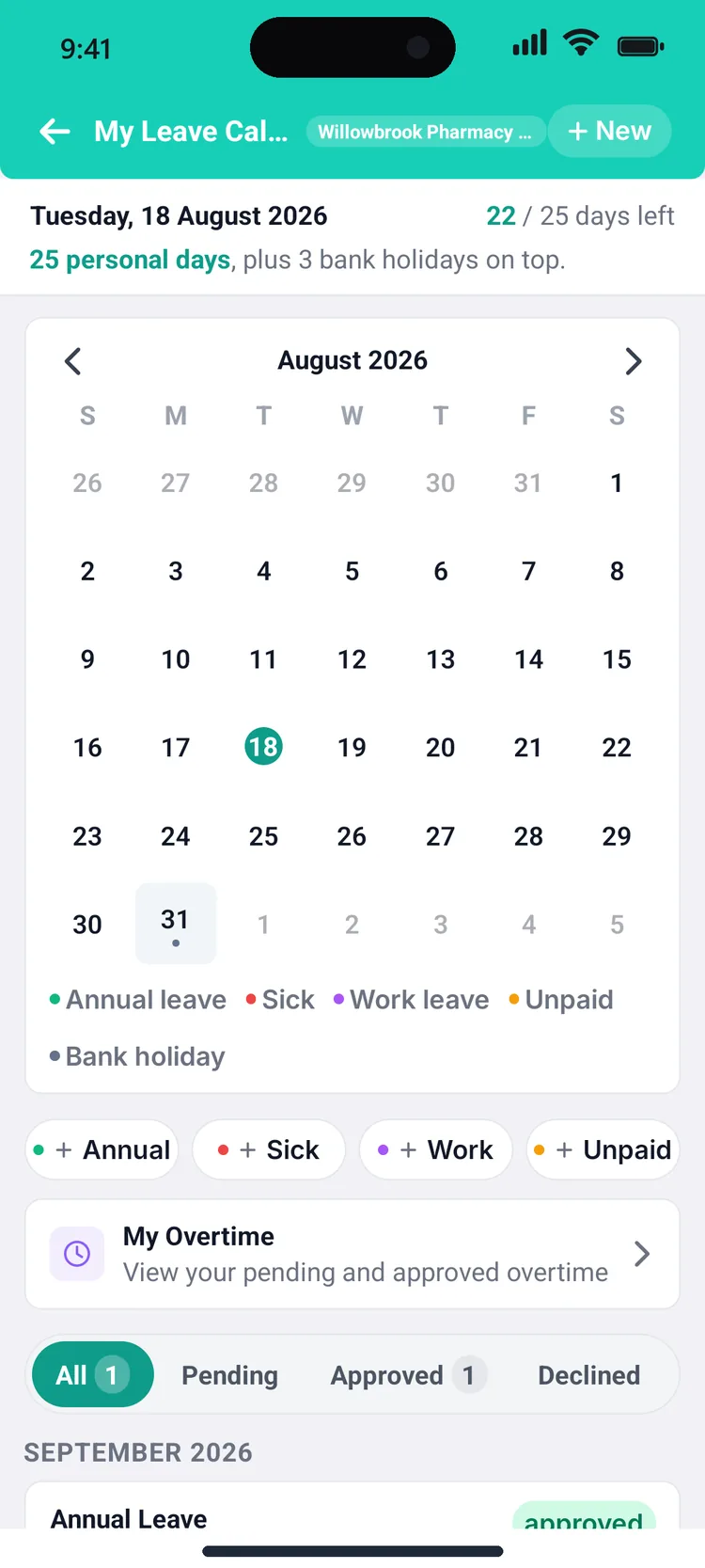
The leave calendar shows the whole team’s time off colour-coded by type, with your own balance - 22 of 25 days here - calculated automatically from your contract, bank holidays included.
End of the week: check your hours
The hours screen compares what you actually worked against what was scheduled, ring by ring - so payday holds no surprises, for you or for payroll.
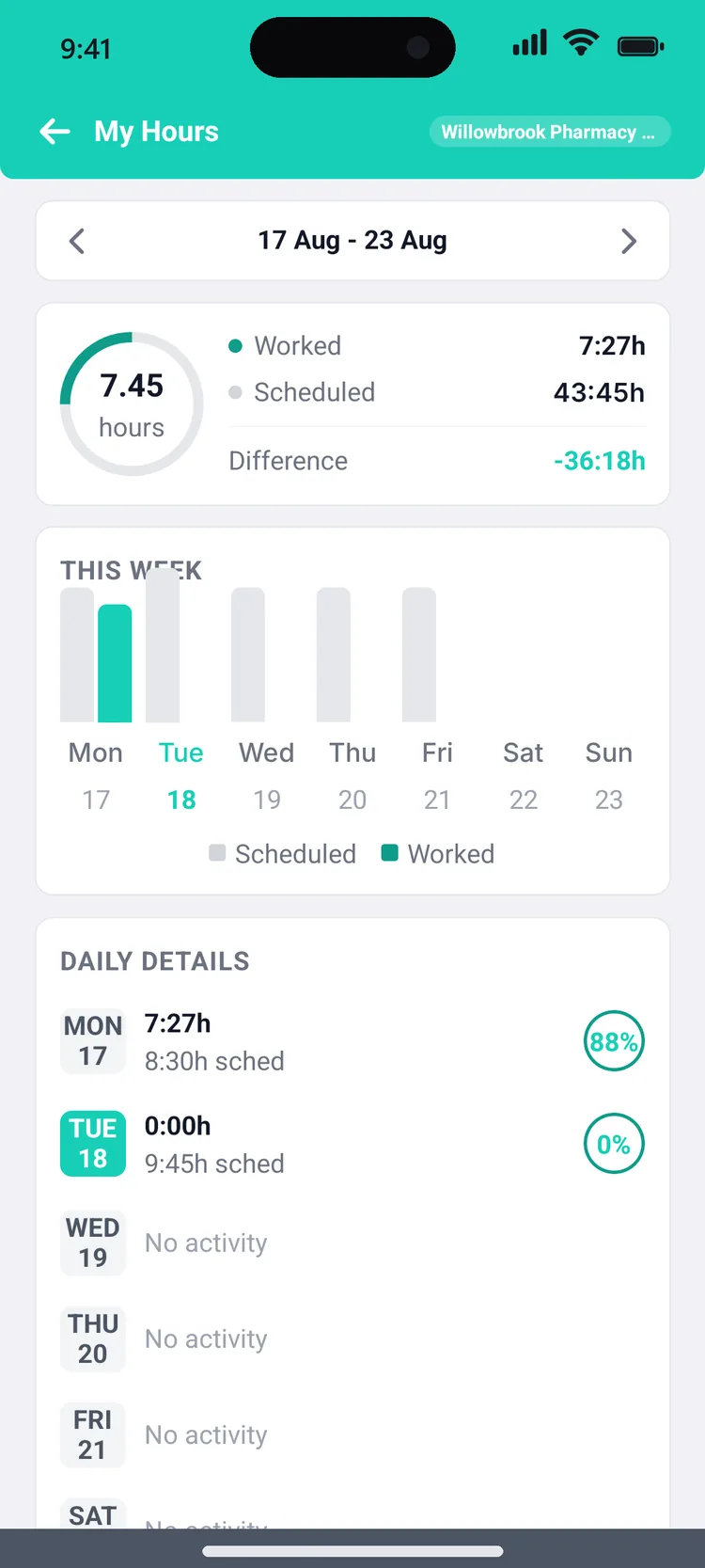
Friday, 17:06 - a whole week without a single group-chat message.
Easy on the eyes at 6am
Every screen you’ve just seen comes in dark mode too - for early opens, late closes and everyone who checks tomorrow’s shift from bed.
Poke around yourself
The tour ends here, but the app doesn’t. Build a rota with your own team - 30-day free trial, no card required.